 WebFront C++23
Volume I / CHAPTER 09
For application developers
CUDA on Jetson Orin Nano
Build the Boing Ball on Jetson, compare CPU and CUDA, and display the result with WebKitGTK.
Notation conventions
Function names, types, commands, options and filenames appear in monospace, for example describe, wf test or main.cpp. Italics introduce a term at its definition. Code blocks give the fragments to enter; the preceding text states their location and prerequisites.
Boing Ball animation on Jetson Orin Nano Super
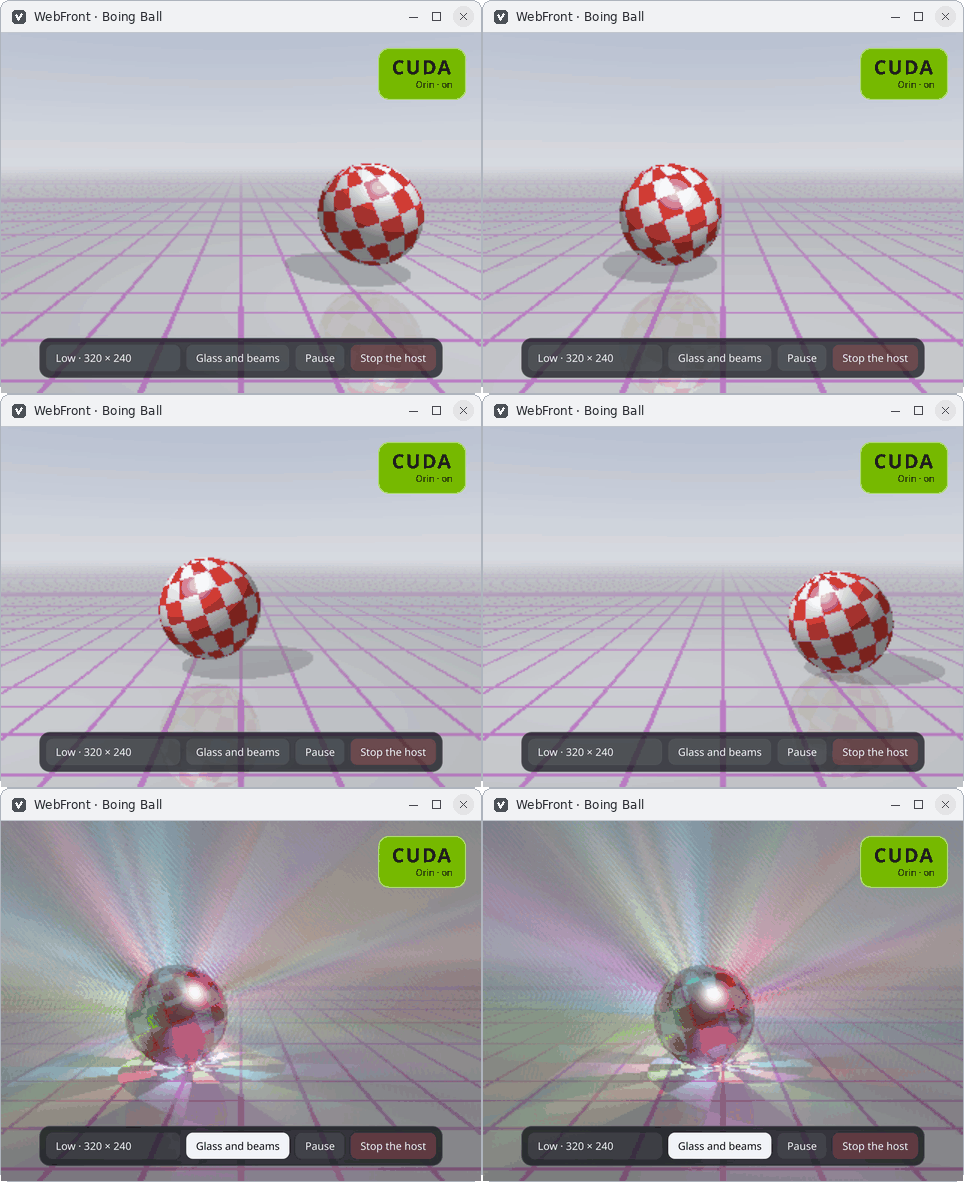
Compute in the C++ host loop
The host application computes the Boing Ball frames. With CUDA, each GPU thread computes one pixel. The kernel lives in a separate .cu translation unit compiled as C++17 by nvcc; the application and WebFront use C++23. The host retrieves the pixels and sends a typed array over the binary bridge. The interface draws it on a 2D canvas.
Prepare the Jetson
The measured profile was an 8 GB Jetson Orin Nano Super with JetPack 7.2.1 (L4T R39.2.1, Ubuntu 24.04), GCC 13.3, CUDA 13.2 and WebKitGTK 2.52.6 on X11. Check that the board reports aarch64, the CUDA toolkit provides nvcc, and CMake is version 3.31 or newer. Install libwebkitgtk-6.0-dev and pkg-config for the native window. The Jetson guide covers installing CMake on Ubuntu.
uname -m
cat /etc/nv_tegra_release
g++ --version
cmake --version
nvcc --version
Build the CUDA renderer
WEBFRONT_HOST_LOOP_CUDA=ON requires a CUDA compiler. Architecture 87 targets the Orin Ampere GPU. If nvcc rejects the default host compiler, configure a fresh build directory with CMAKE_CUDA_HOST_COMPILER pointing to a compiler supported by the installed toolkit.
AUTO builds the CUDA renderer when a usable compiler is detected. OFF builds the example with the CPU renderer alone. WebFront works without the CUDA toolkit.
git clone --branch v1.0.0 --depth 1 https://github.com/ambroise-leclerc/WebFront.git
cd WebFront
cmake -S . -B build-jetson -DCMAKE_BUILD_TYPE=Release \
  -DWEBFRONT_EMBED_CEF=OFF -DWEBFRONT_EMBED_WEBKITGTK=ON \
  -DWEBFRONT_HOST_LOOP_CUDA=ON -DCMAKE_CUDA_ARCHITECTURES=87
cmake --build build-jetson --target WebFrontHostLoop --parallel 2
Check the GPU and open the window
--benchmark reports the detected CUDA device and measures computation without opening an interface. --engine cuda returns an error if the renderer or device is unavailable. In the window, use the CUDA switch to compare engines. Run with --browser to display the same interface in the system browser, or with --engine cpu to compute on the CPU.
The commands below use WebKitGTK development mode, which disables its sandbox. To package an application with a WebKitGTK window, enable WEBFRONT_DISTRIBUTION=ON or apply webfront_use_distribution(target) and follow the distribution guide.
./build-jetson/examples/WebFrontHostLoop --benchmark
./build-jetson/examples/WebFrontHostLoop --engine cuda --glass --quality 1 --stats
Interpret the measurements
On the reference board at 25 W, computing the glass scene at 640 × 480 with one ray per pixel took 175 ms on six CPU cores and 4.8 ms on CUDA, plus 0.3 ms for the copy. To estimate the displayed frame rate, also measure transfer to the browser and drawing on the canvas. --stats shows these stages during a run.
Native window qualification covers X11. The validation record details the nested Weston Wayland tests and JetPack 6 testing on an older stack.
Check your understanding